Direct human support
Questions go to people who know the platform, your configuration, and your implementation. Talk with the team.
Scheduling · Ambient documentation · Billing review · Direct support
OAK EMR connects appointments, documentation, follow-up, and revenue workflows—with direct support and a migration plan built to keep your practice moving.
See whether your current contract qualifies for 50%+ recurring software savings with a matched-scope comparison.
Prefer to talk now? Call 541-231-8693.
*Savings and cutover timing depend on matched scope, current spend, source data, required connections, validation, and written implementation terms.
No clunky screens from 2005. OAK EMR looks and feels like the tools you use every day.
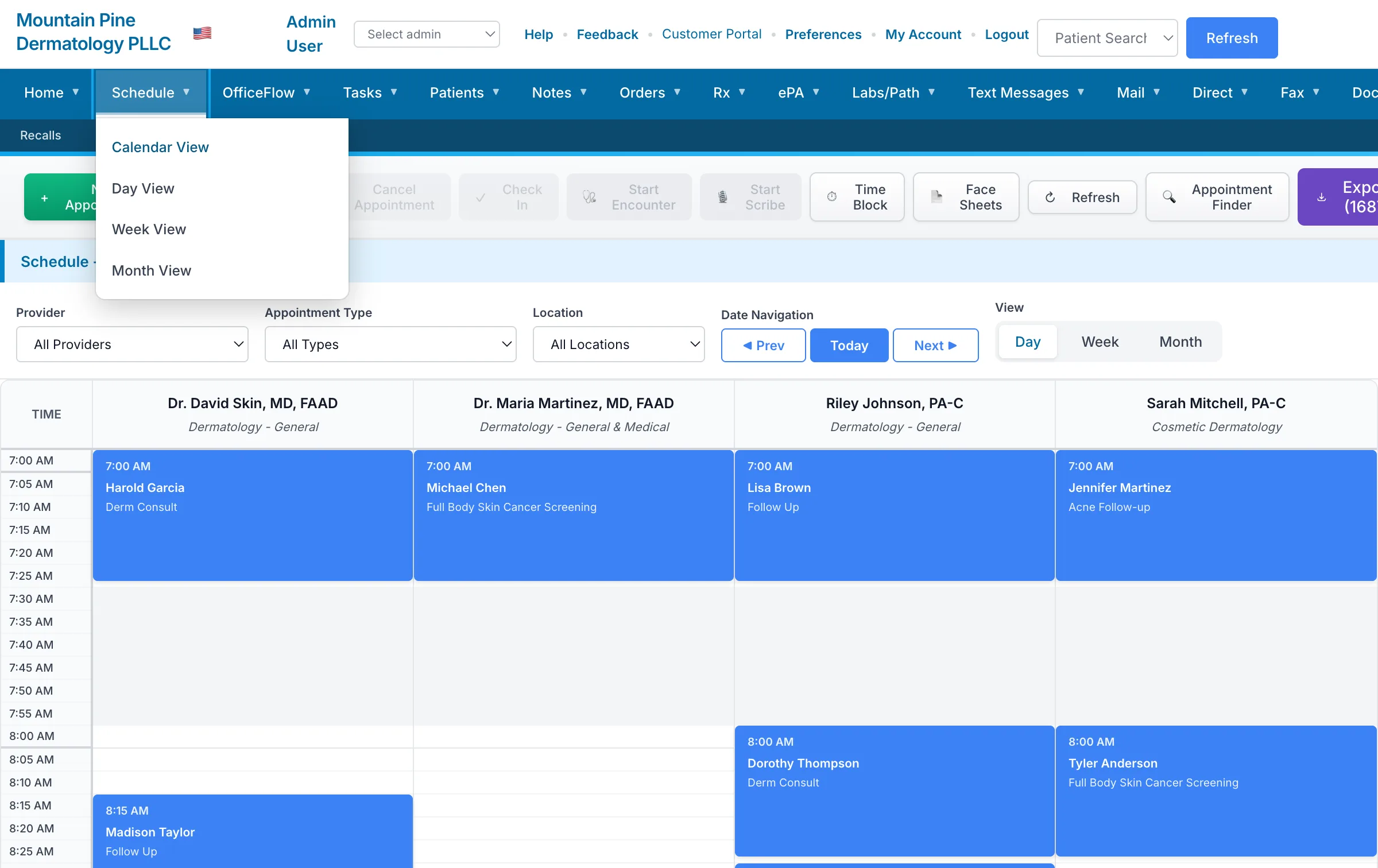
See your entire day at a glance. Drag appointments, manage check-ins, and handle walk-ins without clicking through menus.
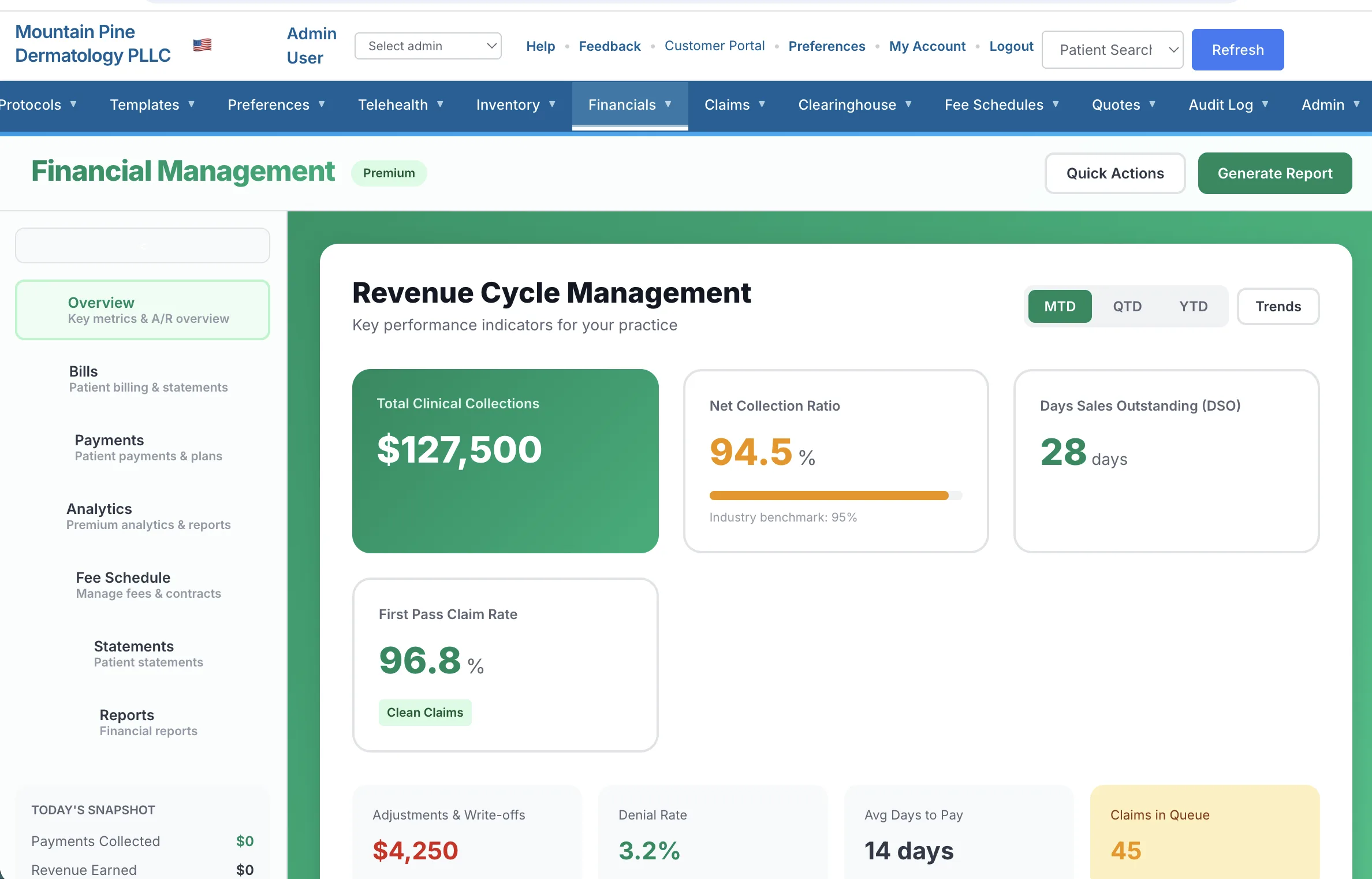
Track collections, identify denial patterns, and see exactly where your revenue stands — updated in real-time.
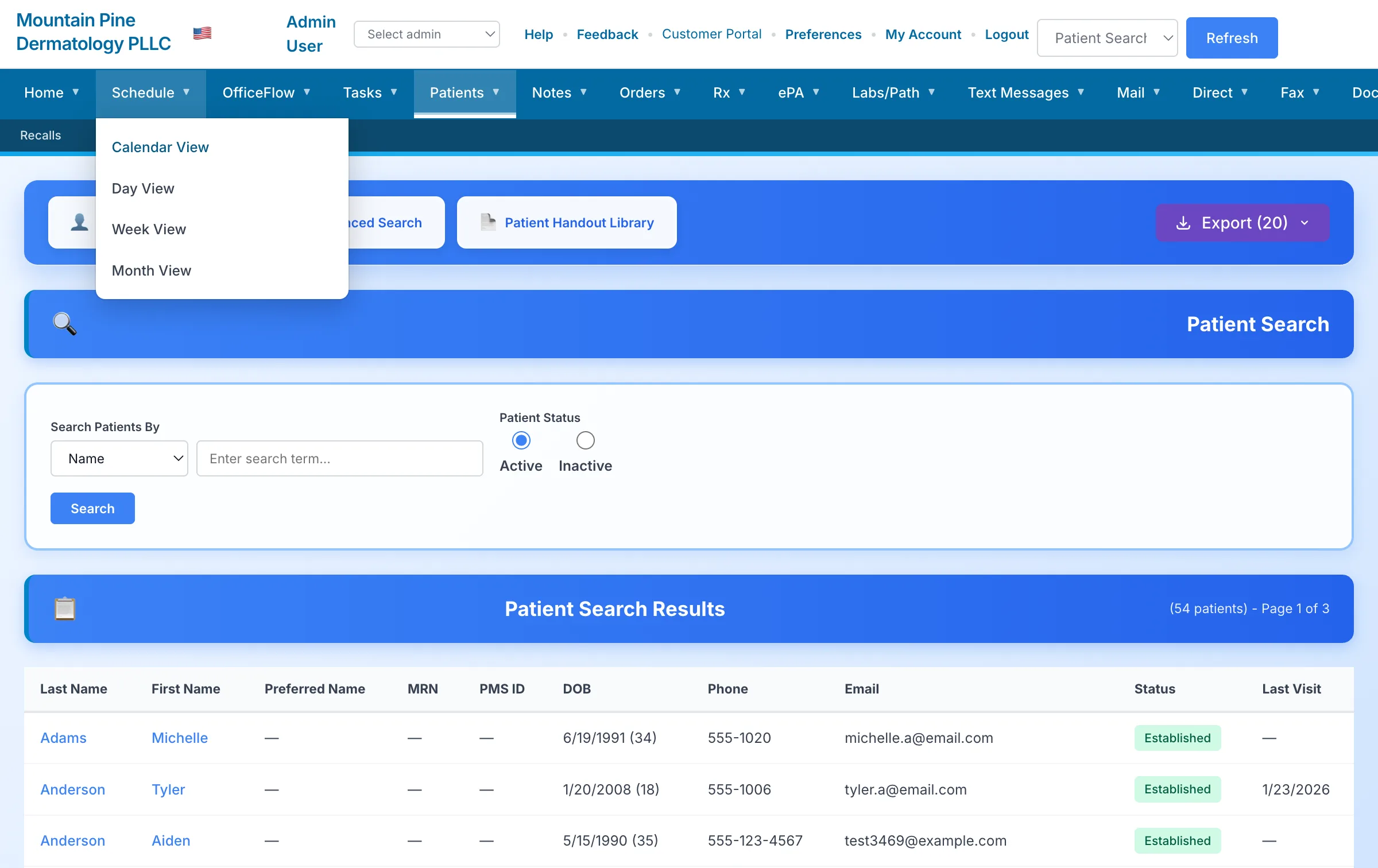
Visit history, photos, documents, and notes — all in one place. No more hunting through different screens.
Interface screenshots contain illustrative demonstration data and do not represent customer results.
Start with the product and the practical details that shape a responsible software decision.
Questions go to people who know the platform, your configuration, and your implementation. Talk with the team.
Modules, migration work, connections, training, validation, and support coverage are documented before go-live. Review the migration process.
Ambient AI prepares a structured clinical draft; the clinician reviews, edits, and approves what belongs in the record.
Role-based access, audit logging, and encryption are part of the security review. Read the security overview.
Public planning rates start at $995 per provider/month for Core and $1,250 per provider/month for AI-enabled. See the planning-rate details.
With patient consent, OAK EMR captures the appointment conversation, transcribes it, and prepares a structured clinical draft. The clinician reviews, edits, and approves what belongs in the record.
Appointment audio becomes a working transcript.
SOAP sections, visit summary, diagnoses, tests, and follow-up suggestions are organized for review.
Approved details connect to the encounter while suggested CPT, E/M, and ICD-10 information moves into a billing review workflow.
Human review stays in the loop. OAK EMR does not release claims automatically; clinicians and billing staff confirm the final record and charges.
We do the mapping, configuration, training, and validation before cutover. When the agreed source data and connections are ready, the final transition is planned over a weekend.
We inventory the records and workflows in scope before migration work begins.
Records are mapped to the agreed structure and reviewed through defined validation checkpoints.
Templates, roles, schedules, and preferences are configured around the workflow reviewed with your team.
Role-based training helps providers and staff prepare for the workflows they will use.
Support coverage and escalation paths are defined in your implementation plan.
Required workflow connections are reviewed, scoped, and documented before implementation.
The OAK EMR transition
Your team keeps running the practice while we coordinate scope, mapping, configuration, validation, training, and the final go-live plan.
Practice teams should not spend days chasing answers while work piles up.
Too many screens and disconnected handoffs make simple work harder than it should be.
Unclear data, training, and cutover responsibilities create avoidable uncertainty.
Practices deserve to understand exactly what they are paying for and what a modern alternative would cost.
Questions go to people who know the platform, your configuration, and your implementation.
Modern, connected workflows help each role see the work and next steps that matter.
Weeks of preparation lead to one controlled transition with validation and go-live support.
We compare matched recurring software scope so you can see the actual difference before deciding.
Send a redacted recurring software invoice and your required modules. We will return a matched-scope comparison that separates subscription, implementation, migration, connections, and usage-based services.
One platform for scheduling, documentation, billing, and patient engagement. Your quote clearly lists the included scope.
Drag-and-drop calendar, automated reminders, waitlist management, and same-day rebooking.
Touch-friendly charting, customizable templates, voice dictation, and reusable documentation macros.
Charge capture, claim scrubbing, denial management, and real-time financial dashboards.
Online scheduling, secure messaging, document access, bill pay, and digital intake forms.
Video visits with a virtual waiting room and documentation linked to the patient workflow.
Connected documentation, follow-up, dashboards, and custom reports help teams organize the administrative work around MIPS (Merit-based Incentive Payment System) reporting.
Specialty workflows, registries, photo timelines, recalls, and condition-specific documentation tools.
Role-based access, audit logging, and encryption controls support responsible medical-office operations. Review our security approach.
Structured tools keep visit documentation, authorization work, and next steps connected to the patient record.
Templates, Macros & Review
Organize HPI, exam findings, assessment, plan, orders, and follow-up in a consistent note workflow that remains under clinician control.
Evidence, Review & Status
Collect supporting chart information, prepare the request for staff or provider review, and track submission status from one work queue.
Each role sees the information and next steps needed to keep the day moving.
Appointments, intake status, messages, balances, and checkout tasks stay visible in one workflow.
Notes, photos, procedures, pathology follow-up, and recall activity remain connected to the patient record.
Claims, denials, payments, and A/R queues give billing teams a clear place to review work and status.
Scope, responsibilities, validation, training, and support are agreed before go-live.
A focused conversation to understand your practice, priorities, and required workflows.
We review the source system, confirm the migration path, and define the data included in scope.
Role-based training prepares providers and staff for their day-to-day workflows.
The cutover plan includes validation checkpoints and documented support coverage.
OAK EMR connects the daily clinical, administrative, and revenue workflows that medical practices manage across the day.
We review your current system, data format, record volume, workflows, and timing before confirming the migration scope and plan.
Available contract terms and included services are documented in your quote before you approve the work.
OAK EMR uses layered access controls, encryption, and audit logging. Read our current security overview and discuss requirements with our team.
Training scope, delivery format, and follow-up support are defined for your organization during implementation planning.
Yes. Share your required workflows and connections, and we will document what is included in the proposed implementation.
Use practical guides for workflow evaluation, cost comparison, pathology follow-up, implementation, security review, and revenue-cycle measurement.
Compare clinical, administrative, billing, implementation, and security workflows.
Read the guide →Map the handoffs from specimen documentation through results, notification, and follow-up.
Read the guide →Compare recurring fees, implementation, migration, services, internal work, and contract terms.
Use the framework →These pages help practices evaluate OAK EMR by workflow and implementation questions. They do not imply a local office or existing local customers.
Review scheduling, photo timelines, pathology follow-up, and billing handoffs.
Explore the St. George guideMap connected clinical, administrative, revenue, and migration workflows.
Explore the Utah guideUse practical questions for implementation scope, security review, and support.
Explore the Idaho guideEvaluate multi-role workflows, pricing assumptions, and a controlled transition.
Explore the Southern Nevada guideRequest a personalized walkthrough for the clinical, administrative, and revenue work your team wants to evaluate.
No credit card required. Prefer to talk? Call 541-231-8693.